If you need to have all (or some) entry cards printed for one exhibitor, you can do that from the Check-in screen.
- Select the Check-in menu.
- Enter the exhibitor's name and click search, selecting View beside the correct exhibitor if given a choice.
- A list of all the exhibitor's entries appears on screen, with a checkbox to the left of each.
- Select (checkbox) each entry that needs an entry card printed.
- Use the button "Print Selected as" drop-down to select either Entry Cards or Entry Tags.
- (For Entry Cards) Select which standard or custom entry card format to use, and how many copies of each card you wish to print.
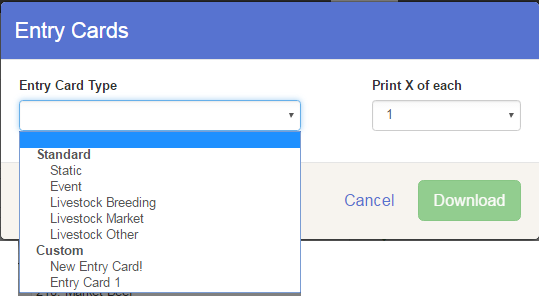
- (For Entry Tags) Select whether you are using tags with claim tickets, and how many copies of each tag you wish to print.
- Click Download. The file will download as PDF to be printed.