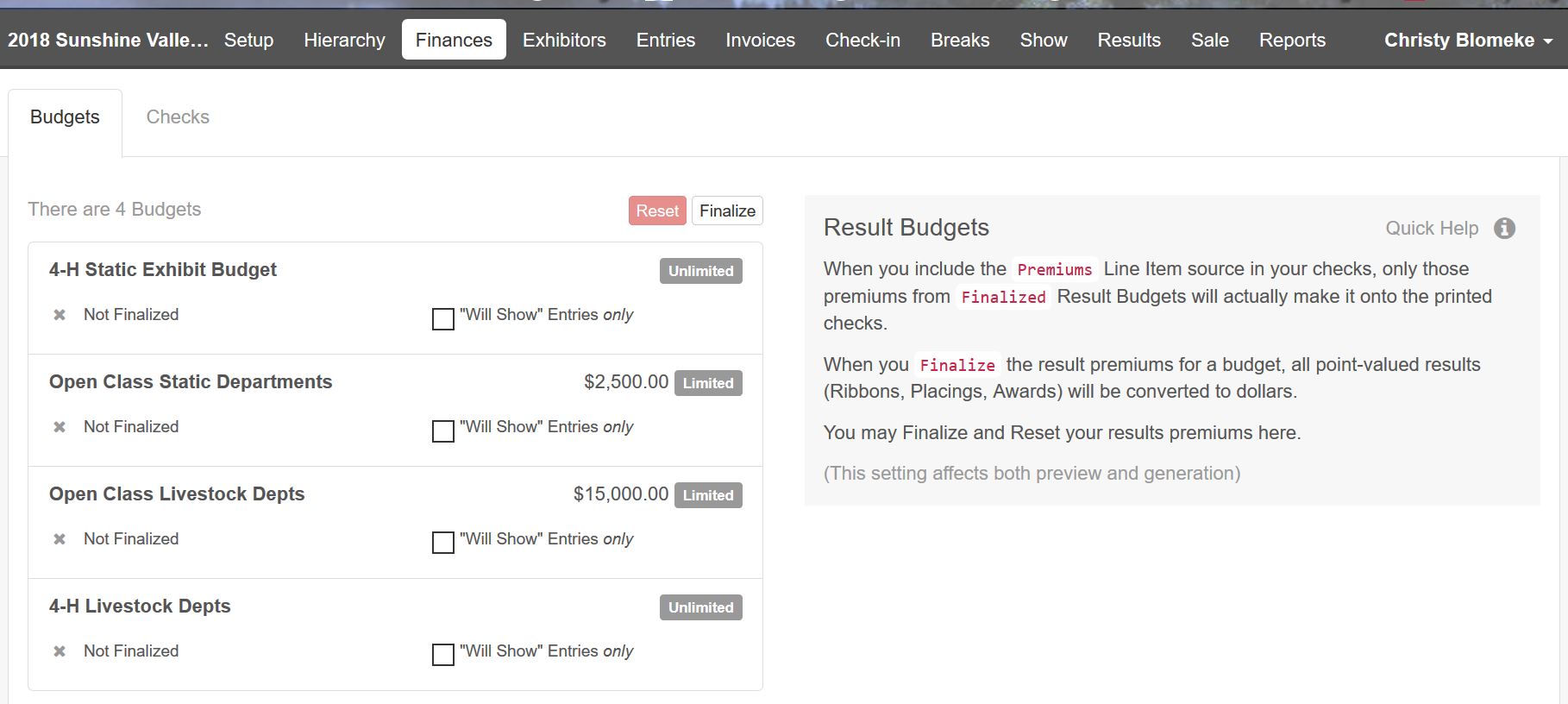
In order for results to appear on Custom Reports, they must be FINALIZED (even if you don't pay premiums or print checks)! This will tell the system that you are ready to run all of the calculations for points and premiums based on the results that have been entered.
To Finalize results:
1. Click on the Finances Tab
2. Click on the Budgets sub-tab
3. Click the Finalize button and all budgets will finalize and lock.
4. After running your reports, you may reset the budgets if:
- Additional entries need checked-in
- The Will Show status of an entry needs updated
- You need to modify the Points & Premiums setup
- Record additional results, or change existing results
You should not generate or print checks until after you have confirmed the amounts are correct in the premium reports.